Process a thousand photos. Upload none of them.
Burnish resizes, crops, and converts whole folders of images on your own computer. No account, no cloud, no waiting on someone else's server.
Works offline · originals are never changed
How it works
From a messy folder to finished files in three steps.
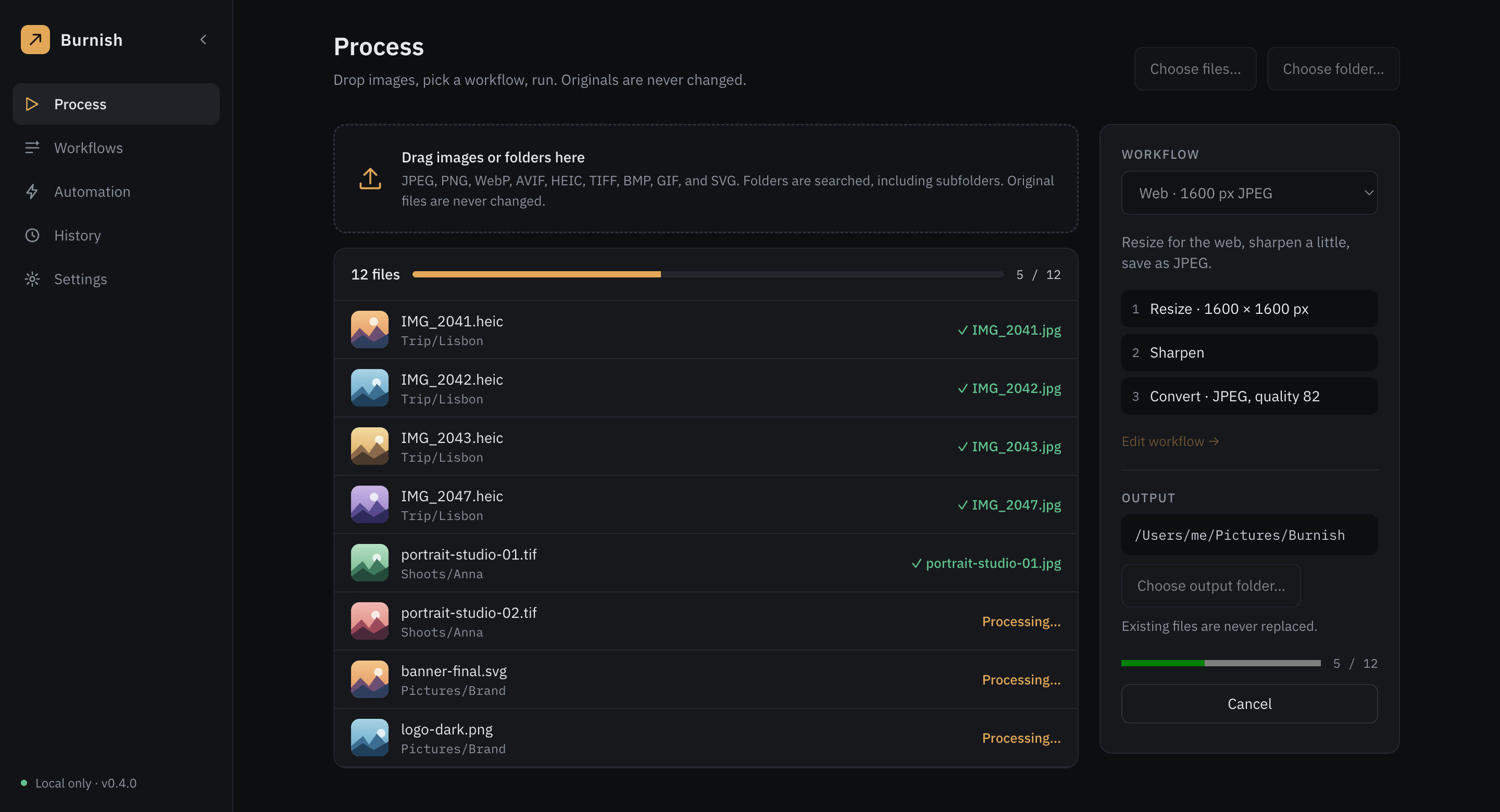
Drop in your images
Drag in files or a whole folder, subfolders included. HEIC, TIFF, AVIF, JPEG, PNG, WebP, and more.
Pick a workflow
Choose one of 29 ready-made workflows, or build your own from steps: resize, crop, sharpen, convert.
Get your results
Copies appear in a folder you choose. Your originals stay exactly as they were, and nothing is overwritten unless you ask for it.
Made for people who handle a lot of images
The repetitive part, done once.
Photographers
Deliver a whole shoot in one run.
- Reads HEIC, TIFF, AVIF, and more
- Resize and sharpen, and add a watermark Pro
- Convert to sRGB; keep or strip camera details and GPS, as you choose
Designers
Keep every asset in the right shape.
- SVG drawn to PNG at the size you set
- Padding to size, and borders and rounded corners Pro
- App icon and favicon presets
Bloggers and marketers
Every size, from one photo.
- Presets for Instagram, YouTube, Pinterest, LinkedIn, and email
- Fit a file under 500 KB or 1 MB Pro
- Watch a folder and let it run by itself Pro
On the bench
Projects by Honebench
Burnish
Version 0.4Batch image processing for macOS, Windows, and Linux. Resize, convert, watermark, and automate whole folders of images, all on your own computer.
Read more →Clipboard manager
PlannedA quiet, local-only history for what you copy. Not started yet: this is the next idea on the bench.
About
One person, sharp tools, one at a time.
Honebench is an independent workshop. To hone is to refine something until it works the way it should, and that is the idea behind every project here: do one job well, and keep the user in control.
Questions, bug reports, and requests are read by a person: support@honebench.dev.
Give your photos back their afternoon.
Set a workflow up once and let Burnish do the repetitive work, on your own computer.